Running your business takes all day. Make time to grow it, too.
Create invoices, share them on WhatsApp, let customers browse your QR menu or catalogue, and keep purchase history, stock and daily records organized—all with BOS.
A little more about BOS
Your AI Business Advisor helps you make sense of your business data and spot what deserves your attention.
Spend less time chasing everyday details and more time thinking about where your business goes next.
AI Business AdvisorUseful insights from your business records.
QR Menu / CatalogueLet customers explore what you offer on their phones.
WhatsApp InvoicesCreate an invoice and share it in a few taps.
Customer Purchase HistorySee what returning customers bought before.
Stock & Business RecordsKeep stock, expenses and everyday records together.
More Time to GrowStay organized and make room for the bigger picture.
Your business is unique. Your workspace should fit.
From shops and cafés to salons, services and more, BOS supports 19 business categories to help you organize work your way.
Real BOS screens · sample business data
19 Business CategoriesAI Business AdvisorMobile-Friendly7-Day Free Trial
BOS · By your side
Less chasing details. More room for your business.
You put in the work. Give the everyday details a place of their own.
01
Your everyday work
Different records. Different places to check.
Invoices
Payments
Stock
Customers
02
Together in BOS
One workspace for the details that matter.
Invoice & share
Create a bill. Share it on WhatsApp.
Remember your customers
Find purchases and payment records.
Keep records together
Check stock, sales and expenses.
See what needs attention
Understand your records with AI advice.
You bring the hard work. BOS helps you make more of it.
Explore how BOS helps
Running a business means keeping track of a hundred little things.
There's more to your day than making a sale. Customers need attention, invoices need sending, payments need tracking, and stock needs checking. It's easy for the work of running a business to leave little time for growing it.
When everything lives in a different place…
Finding an old invoice or customer record takes longer than it should.
Outstanding payments and low stock are easy to lose track of.
Getting a clear picture of the day can feel like another task.
Plans for growing the business keep getting pushed back.
With BOS, the everyday details come together.
Create invoices and share them on WhatsApp.
Find customer purchase history and payment records.
Keep stock, sales and expenses organized.
Use AI Business Advisor insights to see what deserves attention.
BUILT AROUND YOUR BUSINESS
Your business is different. Your BOS should be, too.
Choose a category. BOS adapts the Home screen, navigation and basic smart forms, so the details you need are easier to find.
Choose your business below
Selected business
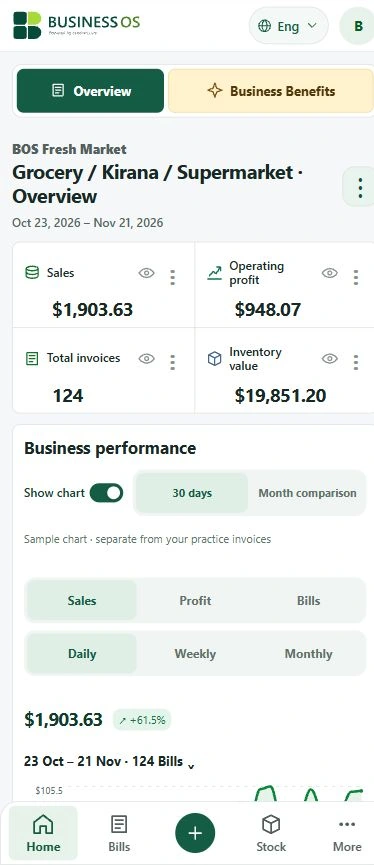
Grocery / Kirana / Supermarket
Fast bills, stock levels, low-stock alerts, supplier and purchase records, customer dues and a QR product catalogue.
These are V2 information fields and everyday business tools. Automated specialist booking, repair, warranty, pharmacy and jewellery engines are reserved for V3.
Real BOS screens · sample business data
WhatsApp
LESS WAITING AT THE COUNTER
Make the bill. Keep the connection.
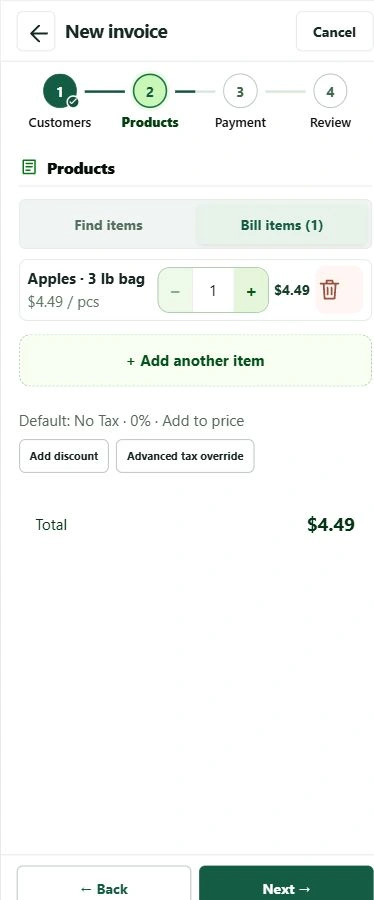
Choose your customer, add products or services and prepare an invoice. Print it, or share it through WhatsApp when you choose. A professional bill keeps the details close at hand after the customer leaves.
The same Quick Invoice for products and services.
Keep payments and remaining dues with the bill.
Sharing is your action. BOS does not send unsolicited messages.
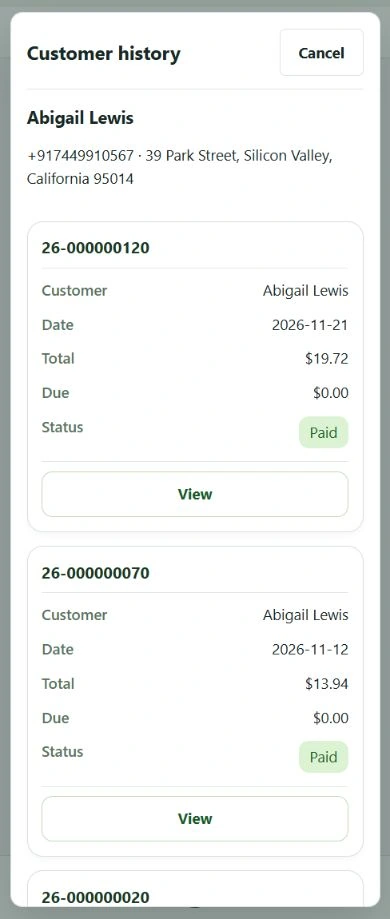
See earlier purchases, recorded payments and outstanding balances. Follow up politely on WhatsApp with the right invoice in front of you. Keep relationships personal without relying on memory.
Real BOS screens · sample business data
Return estimates need at least four purchase dates. They are an indication based on history, never a promise of another visit.
NOTICE BEFORE THE SHELF IS EMPTY
Let your stock records do the reminding.
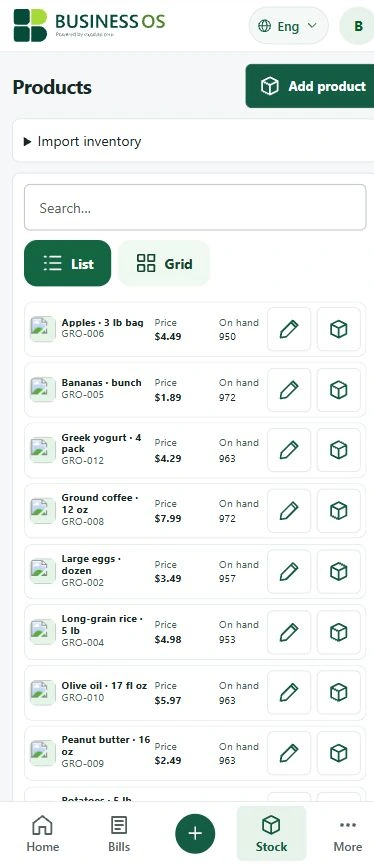
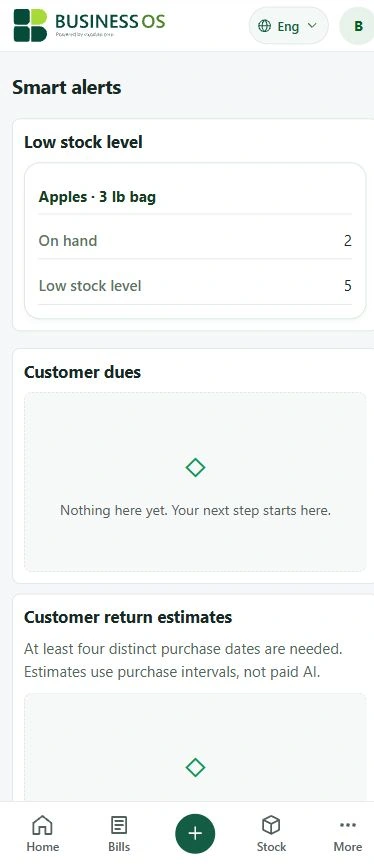
Set a low-stock threshold for a product. BOS shows which recorded quantities need attention, helping you decide what to buy next. Keep purchases and suppliers in the same workspace.
Alerts depend on accurate stock entries. BOS does not automatically reorder goods.
YOUR SHOP, ONE SCAN AWAY
“Do you have this?” Let your catalogue answer.
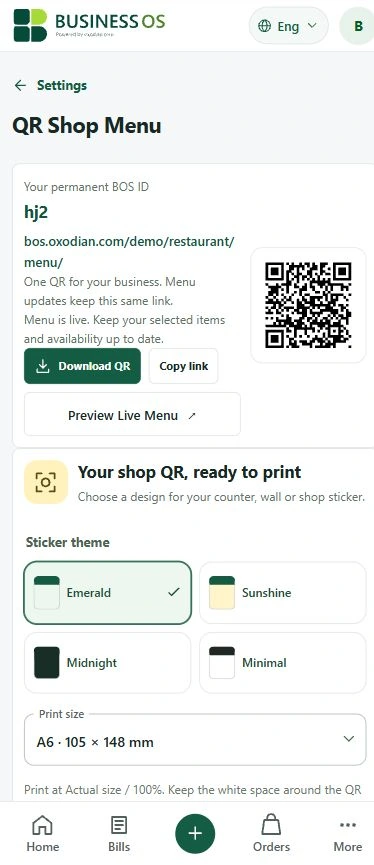
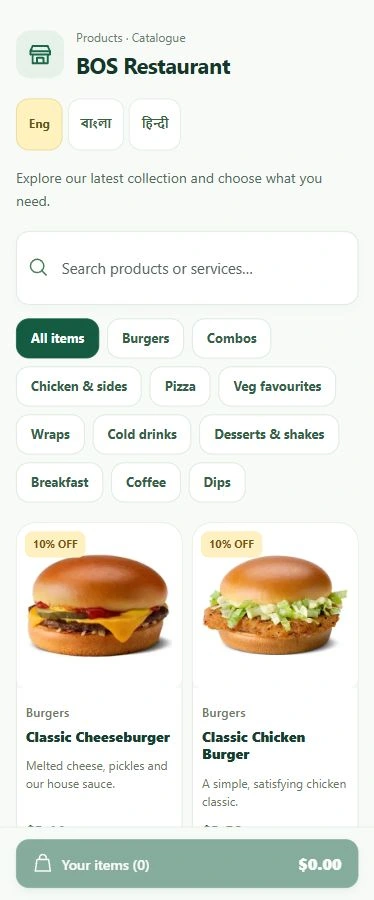
Customers scan, browse available products or services and see your listed prices. Share the same link on WhatsApp or social media. With the QR on their bill, they can come back from home to see what is new.
Two-column product photos and categories.
Item notes, discounts and tax display where configured.
Customer ordering when you enable it.
Update your catalogue without changing its permanent QR link. Sharing a link does not require a paid ad campaign.
A smart business assistant, without another analyst on the payroll.
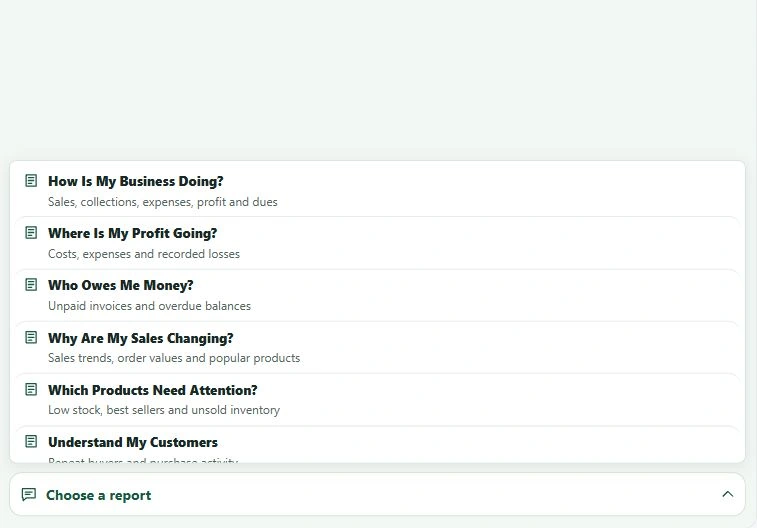
BOS AI Business Advisor helps interpret your recorded sales, costs, profit, dues, inventory and customer activity. Ask for a supported report and turn a page of figures into a clearer next step.
How is my business doing?
Where is my profit going?
Who owes me money?
What should I do next?
BOS Business OS
Real BOS screens · sample business data
8 supported report types. AI reports and advice are paid-plan benefits, subject to usage limits and available data. AI is not a substitute for a qualified accountant or your judgement. The interactive demo does not make live AI requests.
Real BOS screens · sample business data
SALES TELL ONLY PART OF THE STORY
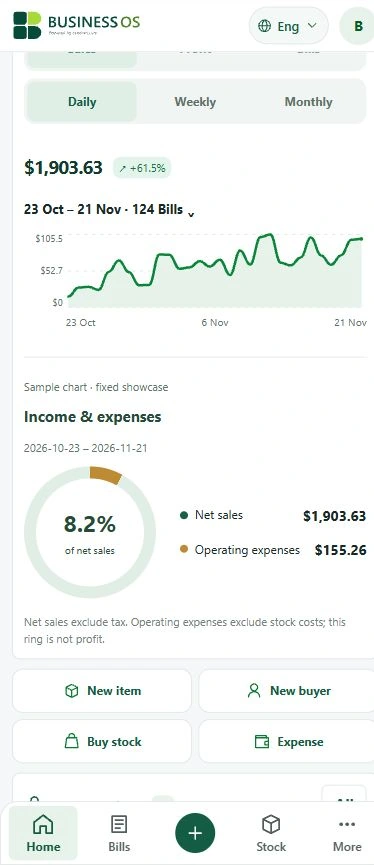
Know where your business stands.
Look at sales, operating profit, bills, payments and recorded expenses. Switch between days, weeks and months, or compare periods. Clear charts make changes easier to see before you decide what to do.
Illustrations use sample figures, not promised business results. The expense ring compares operating expenses with net sales; it is not a profit calculation.
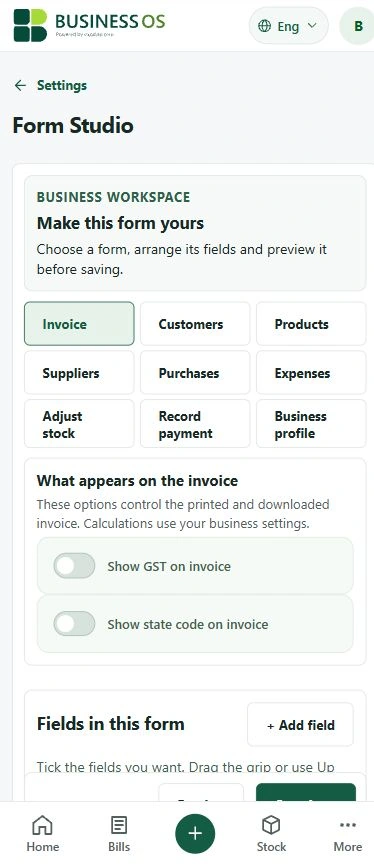
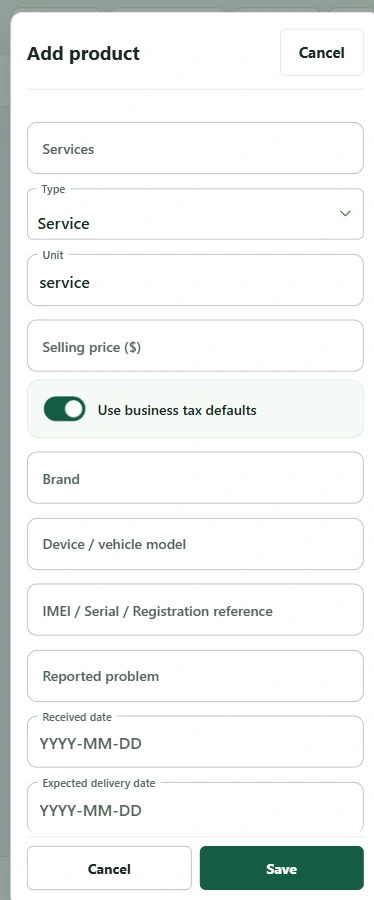
Use Form Studio, custom fields, dashboard preferences and feature settings to bring the useful details forward. A service business does not need the same form as a shop selling goods.
Work from your preferred device
Use supported desktop, Android and iOS browsers. Add BOS to your home screen where supported. Internet is needed for sign-in, AI and live services.
Give your team the right access
Optional Multi-staff access lets you control staff and manager permissions. Review recorded work and collections remotely. This is a separate paid add-on.
Talk to the people building BOS
Paid-plan WhatsApp developer support is for questions, issues and feature requests. Requests are reviewed; delivery of every requested feature is not guaranteed.
Optional Multi-staff access lets you control staff and manager permissions. Review recorded work and collections remotely. This is a separate paid add-on.
Start the core 7-day trial first. Each package has its own 7-day trial. No automatic charge when a free trial ends. Paid subscriptions, taxes, AI usage limits and support conditions follow checkout and the linked terms. Store purchases follow the billing terms shown by that store. Terms
GOOD QUESTIONS DESERVE CLEAR ANSWERS
Before you start
Is BOS suitable for a small business?+
Yes. BOS brings everyday billing, customers, expenses, stock and reports together. Choose one of 19 categories, or adapt the custom business workspace.
Do I need technical knowledge?+
Start with your category and the guided tutorial. The no-sign-in demo lets you explore before creating an account.
Can I share invoices and follow up on dues through WhatsApp?+
Yes. Share an invoice, or contact a customer about an outstanding payment. You choose when to send; BOS does not automate unsolicited messages or debt collection.
Will BOS warn me about low stock?+
Set each product’s low-stock threshold and keep quantities up to date. Supported stock alerts highlight items that need attention; they do not place supplier orders.
Can I see a customer’s purchase history?+
Yes. Customer history shows recorded purchases and dues. Return estimates require enough purchase history and are approximate.
Can customers view my QR catalogue from home?+
Yes. They can open your published catalogue link or scan a saved QR. Enabled items, prices, photos, categories and configured discounts appear there. Ordering depends on your settings.
Does it work for service businesses?+
Yes. Category-aware smart forms support relevant service details and service billing. You can also customize supported fields.
What does the AI Advisor do?+
It explains supported reports using your recorded business data. There are 8 report types. AI reports and advice require eligible paid-plan access and are subject to usage limits.
Can I customize forms or contact a developer?+
Form Studio and workspace settings support custom fields and preferences. Paid-plan WhatsApp developer support accepts questions, issues and feature requests, without a promise to build every request.
Does BOS automate complex bookings, repairs or warranties?+
No. V2 stores relevant information and supports ordinary billing and inventory. Advanced specialist automation is reserved for V3.
Will I be charged automatically after the free trial?+
No. Activating the free trial does not authorize an automatic subscription charge. You decide whether to purchase a paid plan. Check the renewal terms before making a store subscription purchase.
Can I try it before signing up?+
Yes. The interactive demo needs no sign-in and offers all 19 categories with sample products, customers and 30 days of business activity.
I have multiple shops or branches. Can I manage them with BOS?+
Yes. We can discuss a tailored plan for multiple shops, branches or outlets. Tell our developer team how many locations you operate and what access or customization each needs. Additional charges apply. The exact setup, supported features and costs will be reviewed and confirmed before you subscribe; multi-outlet management is not included in the standard plan.
You put care into your business. Give its records the same attention.
Every sale carries your time and effort. Keep that work organized, understand the numbers and stay connected to your customers. Try BOS for yourself, then decide.